Bleed vs No Bleed Printing: Which One Does Your Project Need?
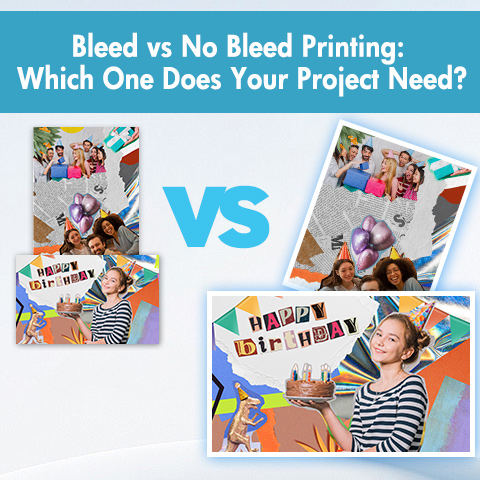
For beginners, the world of print design can be overwhelming, especially when faced with industry terms like “bleed.” If you’ve ever designed brochures, business cards, or flyers, you’ve likely encountered the term “bleed” and its counterpart, “no bleed.” Understanding the difference is crucial; it determines whether the final product will be polished and professional, or marred by unexpected white edges or rough trimming marks.
Simply put, “bleed” refers to the printed content extending beyond the finished edge of the paper, while “no bleed” means that all design elements are contained within a safe margin, leaving a clean border after trimming. This blog post details bleed vs no bleed printing to help you choose the right option for your project.
What is Bleed Printing?
Imagine a beautiful magazine cover, with vibrant photographs extending perfectly to every edge of the paper. That’s the magic of bleed printing.
Bleed refers to the extra margin left on the design beyond the final cut size—typically 1/8 inch (0.125 inches or 3 millimeters) on each side. Printers add this buffer to compensate for the unavoidable slight shifts that occur when cutting large quantities of paper. After printing, the paper is cut to its final size, passing through the bleed area to achieve a perfectly edge-to-edge finish.
Why is bleed so important? Even with modern equipment, slight shifts can occur in the paper during the cutting process. Without bleed, where the cut line doesn’t perfectly align with the design edge, an unprinted white stripe of paper might appear. Bleed completely eliminates this risk.
Key Zones in a Bleed Design:
- Final Trim Size: The delivered size of your item (e.g., a standard 3.5″ x 2″ business card).
- Bleed Area: The extra 1/8 inch on all sides that gets trimmed off. Your design file should be sized to include this (e.g., 3.75″ x 2.25″).
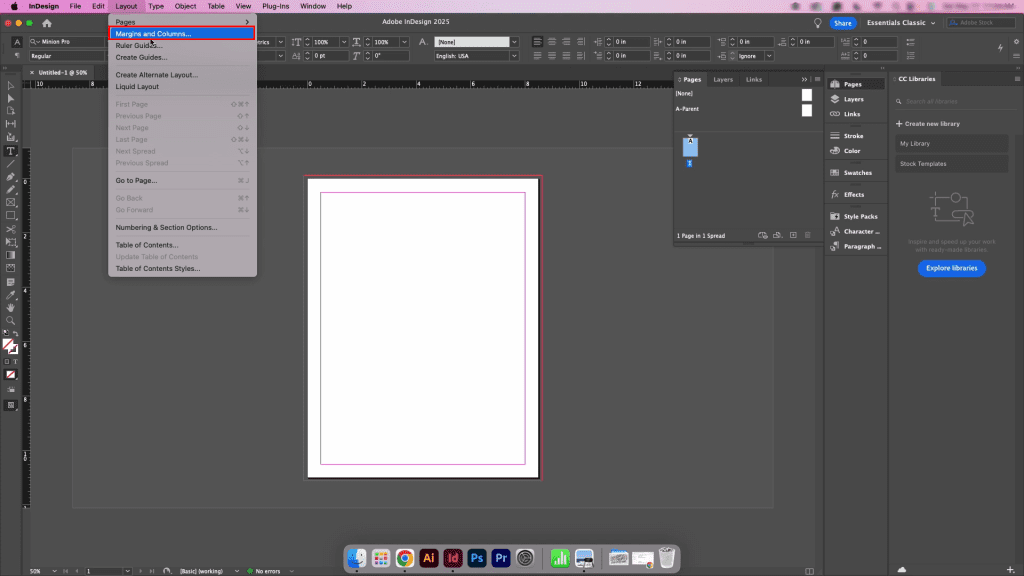
- Safe Zone (Safety Margin): A critical inner area, about 1/8 inch inside the trim line, where you must keep all vital text, logos, and key elements. This ensures nothing important is accidentally cut off.
Bleed printing is common for projects such as business cards, brochures, flyers, book covers, postcards, and any design with a full-color background extending to the edge of the paper.
What is No Bleed Printing?
Now, imagine a standard office letterhead or internal report. Notice the neat, uniform white border around the content. This is bleed-free printing.
In no bleed printing, your design stops well before the edge of the paper. The final product has a visible border (the color of the paper itself) on all sides. Since no design elements touch the edge, there’s no risk of imperfect cuts showing white slivers—the margin is an intentional and often elegant part of the layout.
- For Simplicity: File setup is straightforward—you design to the exact final dimensions.
- For Cost-Effectiveness: It can be more economical, as it often uses standard paper sizes (like US Letter or A4) with minimal or no trimming required.
- For a Classic Aesthetic: A clean border can frame content beautifully, enhance readability, and is the expected format for many formal documents.
- For Functionality: Documents meant for binders, hole-punching, or quick in-office printing need that margin space for practical use.
Common projects suitable for bleed-free printing include: internal reports, manuals, laser/inkjet letterhead, drafts, presentations on pre-cut paper, and documents with a deliberately minimalist design.
Bleed vs No Bleed Printing: What are the Differences?
To help you quickly grasp the core differences, here’s a detailed analysis of the key factors. Next, let’s explore what these comparisons mean for your design and budget.
| Feature | Bleed Printing | No Bleed Printing |
| Visual Result | Color/graphics go to the very edge of the paper. | A visible paper-color margin surrounds the design. |
| Setup | More complex. Requires extended canvas & safe zones. | Simpler. Design to exact final size. |
| Cost | Can be slightly higher due to specialized paper & trimming. | Often more economical. |
| Paper Shift Risk | Eliminated by the extra bleed area. | Not an issue, as margins are part of the design. |
| Best For | Professional marketing materials, photos, modern designs. | Text-heavy documents, internal use, classic layouts. |
Different Visual Result
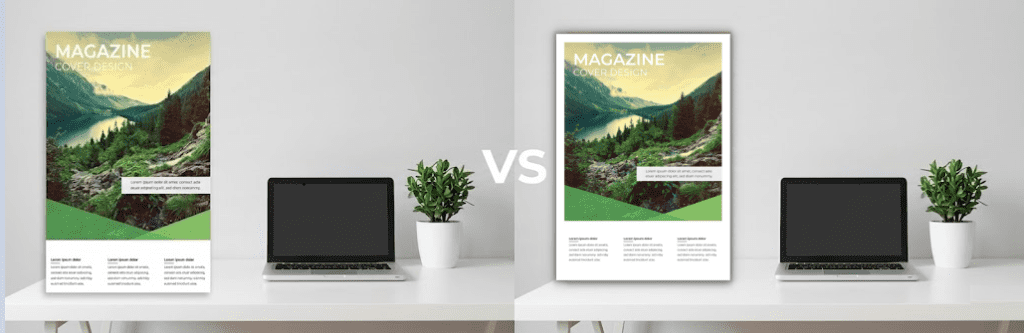
This is the most obvious difference. Full-page print allows graphics to “break through the border,” creating a modern, immersive, and professional visual effect. It’s vibrant and impactful, ideal for making a strong first impression. Bleed-free print, on the other hand, presents a classic, structured, and often more formal look. A uniform border frames your content, improves readability in text-heavy documents, and is a safe and common format in many business documents.
Different Design Setups
The setup process impacts your workflow. Full-page print requires advance planning. You must design on a larger canvas, remember to extend background elements into the bleed area, and, crucially, place all key text and logos within a “safe zone” away from the cut edges. This adds an important planning step. Bleed-free print setup is fundamentally simpler—you design based on the precise dimensions of the final product, without worrying about extra areas that will be cut off. What you see on screen is much closer to the final printed result.
Different Printing Costs
Potential cost differences often depend on materials and labor. To achieve clean bleed, printers typically use larger sheets of paper, printing multiple items on a single sheet and then precisely trimming each item to the required size. This process consumes more paper and requires specialized cutting equipment and time. For projects without bleed, especially those using standard paper sizes (e.g., 8.5 inches x 11 inches), the printing and trimming process can be much simpler, sometimes requiring only a cutter or even no trimming at all, making it more economical.
Different Applicable Uses
Bleed is best suited for projects where visual appeal and a premium feel are paramount, such as eye-catching marketing materials like business cards, brochures, posters, and magazine covers. No bleed is best suited for highly functional, content-driven documents, such as internal reports, manuals, office printer letterhead, or any project requiring classic, clean borders or where borders have minimal impact on the target audience. The project’s objectives should directly guide your choice of the correct technology.
Bleed Printing vs No Bleed Printing: How to Choose?
Choosing between bleed and no bleed depends more on technical specifications than on the project’s purpose, design, and practical constraints.
Your Project’s Purpose and Audience
First, consider what the project is. Who will see it? Is it a client-facing marketing tool? For business cards, posters, or elaborate brochures designed to grab attention and project a professional, competitive image, bleed printing is necessary. Conversely, if you’re preparing functional documents such as internal company reports, user manuals, or everyday office letterhead, a no-bleed border design is usually the preferred choice.
Analyze Your Design’s Layout
Next, carefully examine your design itself. Does it include a background color, a striking photograph, or graphic, and do you want the graphic to extend beyond the edges of the paper? If the answer is yes, then you must use bleed. However, if your design naturally has plenty of white or light-colored space around it, and the consistent borders are intentional, then no bleed will suffice.
Always Consult Your Printer First
The printer’s specific requirements are the final deciding factor. Before you begin designing, visit their website for templates, guidelines, or submission requirements. If information is unclear, email or call for assistance. Setting the file format correctly from the beginning is the best way to avoid unexpected costs, production delays, and disappointing results.
The Bottom Line
Don’t be intimidated by these terms. The choice of bleed is fundamentally about intent and effect. Need visual impact? Then you need bleed. If it’s a purely functional, content-driven document, or you’re aiming for a timeless, bordered aesthetic, then you don’t need bleed. If you’re unsure, remember, your printer is your partner.


Comments
Post a Comment