Posts

How to Check Printer Ink Level?
Image
You may have met the situation when your printer runs out of ink while doing the print job. Then you will have to replace the cartridges and restart printing. This not only leads to poor-quality printing but may also cause damage to your printer. So it's important to know when your printer will run out of ink and replace the ink cartridges on time. This post will tell you something about checking printer ink levels. Advantages of Checking Printer Ink Levels 1. Avoid ink depletion: Regularly checking the printer's ink level can avoid ink depletion during important printing operations. This can reduce the need to purchase new ink cartridges at the store at the last minute, saving time and money. 2. Better planning for printing: Knowing how much ink you have left can help you plan to print and prioritize printing work. You can decide which documents are most important and which can wait until you have more ink before deciding. 3. Troubleshooting printing issues: If your printer...

Benefits of Bulk Printing

Image
Printing can be costly and time-consuming, especially if you have large or multiple documents to print. However, a solution can help you save time and money: bulk printing. Bulk printing involves printing many copies of a document simultaneously, offering several advantages over printing individual pages. Bulk Printing Saves Money One of the main advantages of bulk printing is cost savings. When you print in bulk, you can often get a lower price per page than individual pages. This is because many printing services offer discounts for larger print runs. For example, a printing service may charge $0.10 per page for a print run of 100 pages but only $0.05 per page for a print run of 1,000. Bulk Printing Saves Time Bulk printing can also save you time. You have to return to the printer to print each page when you print individual pages. However, with bulk printing, you can print a large number of pages at once, saving you time and reducing the amount of time you spend at the printer. This...

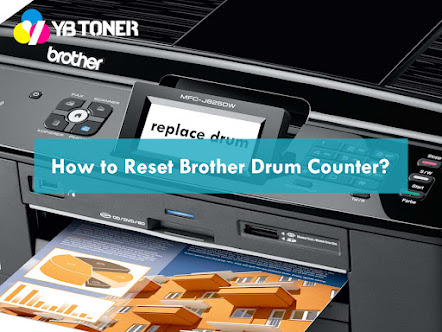
How to Reset Brother Drum Counter?

Image
Have you ever met a "Drum End Soon" or "replace drum" message using a Brother printer? This message tells us that your Brother drum unit in the printer needs to be replaced. However, the message sometimes appears when you have installed a new drum unit. And this situation, you may need to rest your Brother printer drum counter. Follow this article and learn how to do it! Detailed Information of Restting Brother Drum Counter Brother printers have a built-in drum unit that needs to be replaced periodically. The drum unit is responsible for transferring the toner from the toner cartridge to the paper and has a limited lifespan. Most Brother printers have a drum counter that tracks how many pages have been printed with the current drum unit. Once the drum counter reaches a certain number, the printer will display an error message indicating it's time to replace the drum unit. You may need to reset the Brother Printer Drum counter if you have replaced the drum unit ...

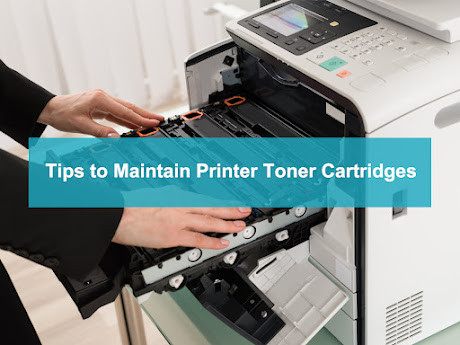
Tips to Maintain Printer Toner Cartridges

Image
Toner cartridges play an important role to produce prints and can have a significant impact on the quality of your prints. Properly maintaining your toner cartridges can help extend their lifespan and ensure that they continue to produce high-quality prints. Here are some tips on how to maintain toner cartridges properly: 1. Store Toner Cartridges Properly Keeping your toner cartridges in a cool, dry place away from direct sunlight is important because extreme temperatures and humidity can affect the performance of the toner. If toner cartridges are exposed to moisture or heat, the toner powder can clump together or the cartridge can leak. Storing toner cartridges in a dust-free area is also important to prevent dust buildup on the cartridge. Dust can negatively affect print quality by getting onto the printer drum or other printer parts. 2. Keep Toner Cartridges Sealed Toner cartridges come with a protective cover that should remain on until you're ready to use them. This protecti...

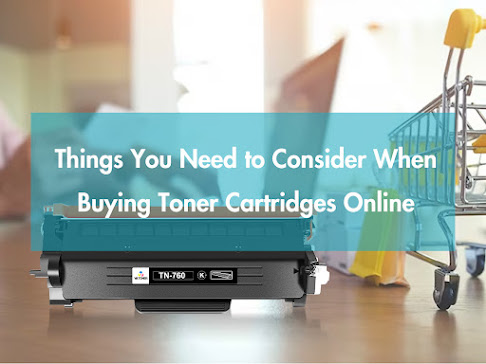
Things You Need to Consider When Buying Toner Cartridges Online

Image
Buying toner cartridges online can be a convenient and cost-effective way to keep your printer running smoothly. With the rise of e-commerce, countless options exist for purchasing toner cartridges online. However, with so many options available, navigating the market and finding the best deal for your needs can take time and effort. This article will explore some key considerations when buying toner cartridges online. Compatibility One of the most important factors to consider when buying toner cartridges online is compatibility. Not all toner cartridges are created equal, and ensuring that the cartridge you purchase is compatible with your printer model is essential. A compatible toner cartridge is designed to work with specific printer models, and using an incompatible cartridge can cause damage to your printer and produce poor-quality prints. When shopping for toner cartridges online, remember to check the product description carefully to ensure the cartridge is compatible with you...

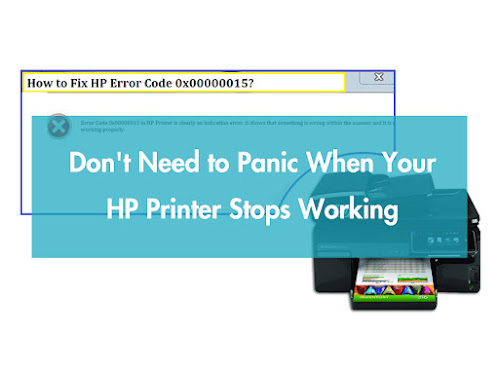
Don't Need to Panic When Your HP Printer Stops Working

Image
Nowadays, printers are frequently used in offices and even homes. Like any other electronic device, they are delicate and must be protected carefully. And you'll always meet some errors that stop the printers from working. In this article, let's learn about problems with HP inkjet printers. After reading this, you'll know what happens when your HP printer shows an error message. And you can solve it effectively. Cartridge Problem The "Cartridge Problem" error message indicates a problem with one or more ink cartridges installed in the printer. The message may also include details about the specific cartridge causing the problem. Here are the steps to solve the "Cartridge Problem" error: Step 1: Check the Cartridge Compatibility  Make sure that the ink cartridges are compatible with your printer. You may use only genuine HP ink cartridges specifically designed for your printer model. Besides, it would help if you bought high-quality compatible printer ink...

HP Printer Firmware Update - Something You Need to Know

Image
HP printers are a popular choice for both personal and professional use. These devices are designed to deliver reliable and high-quality printing, scanning, and copying services. One of the key features of HP printers is the firmware that runs them. This firmware serves as the software that controls and manages the hardware components of the printer. However, firmware updates are necessary to keep the printer running smoothly and effectively like any other software. What is HP Printer Firmware? Firmware is a type of software embedded into electronic devices' hardware. It acts as a bridge between the hardware and the software applications that run on the device. HP printer firmware is a program that is installed on the printer's internal memory. It manages the printer's operations and regulates how it interacts with other devices. Why is HP Printer Firmware Update Important? HP printer firmware is updated regularly to ensure it is up to date and functioning correctly. The fi...

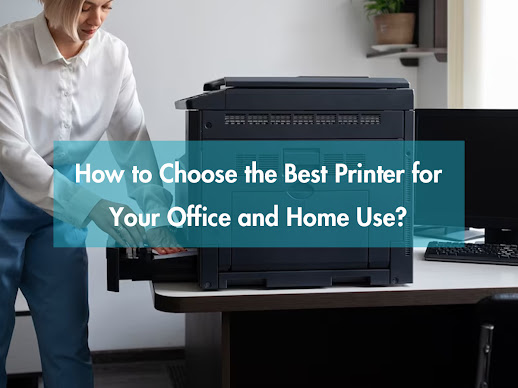
How to Choose the Best Printer for Your Office and Home Use?

Image
When it comes to buying a printer, there are numerous factors to consider. Whether you're looking for a printer for your office or home use, it's essential to choose the best one that meets your needs. In this article, we'll guide you on how to choose the best printer for your office and home use. Determine Your Printing Needs Before you start shopping for a printer, you should determine your printing needs. Do you need a printer for occasional printing, or do you need one for regular printing? Do you need a printer that can print in color or just black and white? By determining your printing needs, you can select a printer that best suits your requirements. Decide Between Inkjet or Laser Printer When choosing a printer, you'll have to decide between an inkjet or laser printer. Inkjet printers use liquid ink cartridges to print text and images, while laser printers use toner cartridges to print. Inkjet printers are best suited for home use or occasional printing needs, ...